
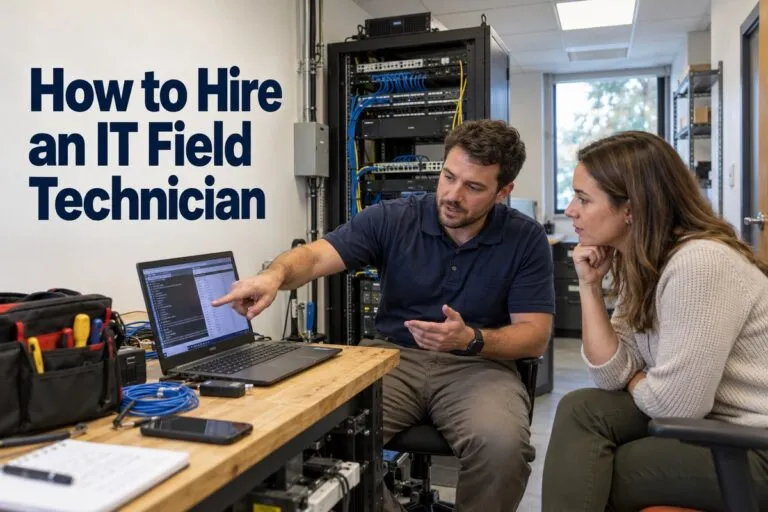
If you need to hire an IT field technician, the process looks simple at first. Post a job, interview a few people, and pick one. In practice, the right choice depends on your project, your timeline, and how many sites you need to cover.
This guide shows you how to hire an IT field technician step by step. You will see your hiring options, typical pay data, the skills to look for, and the questions to ask. You will also learn when to bring in a nationwide partner like Deploynation.
Start With a Clear Picture of the Work
The best hires begin with a clear plan. Before you talk to anyone, write down what the technician will do.
List the Tasks and Locations
Be specific. A good scope helps you get better candidates and better quotes. Think about tasks like:
- Rack and stack of servers, switches, and storage
- Remote hands and smart hands support
- Computer deployment and refresh projects
- Structured cabling and Wi-Fi installation
- Equipment moves, relocation, and decommissioning
- On-site help during multi-site rollouts
Also note the cities, building access rules, and start dates. A technician in Dallas cannot cover a site in Seattle on the same day.
Set the Length of the Need
How long you need help changes who you should hire.
- A single project: Use a contractor or a field services partner.
- Many projects across many sites: Use a partner with a bench of trained technicians.
- Daily support at one location: Look at a full-time or contract-to-hire hire.
Compare Your Hiring Options
There are four common ways to put an IT field technician on site. Each one fits a different need.
Hire a Full-Time Employee
A full-time technician learns your systems, your people, and your building. That is great for steady, daily work at one site.
The tradeoff is reach and cost. One employee cannot cover several states. You also pay for their time during slow weeks.
Use an IT Staffing Agency
If you need IT support staff on your team, a staffing agency can speed up the search. Tier2Tek staffing is a helpful resource for hiring IT field technicians and other IT support staff. It is a good fit when you want dedicated people for help desk, service desk, or ongoing support roles.
Staffing agencies are strong at finding and screening candidates. That saves your team hours of resume review and interviews.
Bring In a Contract Technician
Contractors give you flexibility. You can bring someone on for one job and let them go when it ends.
The risk is backup. If your contractor cancels or gets sick, your project stops. You also have to vet and manage each person yourself.
Partner With a Field Services Company
A field services company sends trained technicians to your sites, so you do not have to hire at all. This is where Deploynation fits. Deploynation delivers nationwide IT deployment and field services through one point of contact.
This option works best for rollouts, refreshes, cabling jobs, and any project that needs speed and more than one skill set.
| Hiring Option | Best For | Main Risk |
|---|---|---|
| Full-time employee | Daily work at one site | Fixed cost, limited reach |
| IT staffing agency | Ongoing IT support roles | Not built for fast, one-off projects |
| Contract technician | Short, single jobs | No backup if they cancel |
| Field services partner | Multi-site and project work | Need to pick a trusted vendor |
Know What an IT Field Technician Costs
Pay data helps you plan your budget. The U.S. Bureau of Labor Statistics tracks wages for computer support specialists, which is a useful benchmark.
| Role | Median Annual Pay (May 2024) |
|---|---|
| All computer support specialists | $61,550 |
| Computer user support specialists | $60,340 |
| Computer network support specialists | $73,340 |
Field work often pays more than the median because of travel, tools, and hands-on skills. Rates also change by city and by job type.
Costs Beyond the Paycheck
Salary is only part of the price. When you hire in house, plan for:
- Payroll taxes and benefits
- Tools, test gear, and safety equipment
- Vehicles, fuel, and travel
- Training and certifications
- Recruiting and onboarding time
A staffing agency or field services partner can fold many of these costs into one clear rate. That makes budgeting easier.
Skills to Look For
A strong IT field technician has both technical skills and people skills. They work inside your building, so both count.
Technical Skills
Look for hands-on experience with the work you need done. Common skills include:
- Installing and racking servers and network gear
- Running, labeling, and testing cable
- Setting up Wi-Fi and basic network troubleshooting
- Imaging, configuring, and deploying laptops and desktops
- Reading and following a detailed work order
- Safe lifting and equipment handling
Soft Skills
These skills are just as important:
- Clear and friendly communication
- Honesty when something goes wrong
- On-time arrival and a clean work area
- Patience with end users
- Careful notes and photos at the end of each job
Certifications to Consider
Certifications show that a person has studied the basics. They do not replace real experience, but they help you compare candidates.
- CompTIA A+ for hardware and support skills
- CompTIA Network+ for networking basics
- BICSI or similar credentials for structured cabling
- Vendor certifications from brands like Cisco, Dell, and HPE
Questions to Ask Before You Hire
A short interview reveals a lot. Ask these questions whether you are talking to one person or a company.
About Experience
- How many projects like mine have you completed?
- What is the biggest rollout you have worked on?
- Can you share references from similar jobs?
About Process
- What do you do when you cannot fix a problem on the spot?
- What documents do you send when the job is done?
- How do you track serial numbers, assets, and cable labels?
About Risk
- Are your technicians background checked?
- Do you carry liability insurance?
- Who covers the job if a technician cannot show up?
Clear, quick answers are a good sign. Vague answers are a warning.
Red Flags to Avoid
Watch for these signs during your search:
- No references or past project examples
- No proof of insurance
- A price far below every other quote
- No plan for backup coverage
- Slow replies before you sign
- No written scope of work
Two or more of these is a good reason to keep looking.
How Deploynation Helps With Field Technician Needs
Hiring one technician at a time works for small jobs. It gets hard when your project spans many cities, has a tight deadline, or needs several skills at once.
Deploynation is built for these projects. The team supports:
- Rack and stack services
- Remote hands and smart hands support
- IT field services for projects that need someone on site
- Computer deployment and refresh projects
- Structured cabling and Wi-Fi installation
- Multi-site IT rollouts
- NOC monitoring services
- IT relocation and decommissioning
With one partner, you skip the work of finding and managing a new technician in every city. You get one contact, one clear scope, and a team that has done this work before.
A Simple Plan to Hire an IT Field Technician
Follow these steps to keep your hiring on track.
Step 1: Write the Scope
List tasks, sites, dates, and tools. More detail leads to better quotes and better candidates.
Step 2: Pick Your Path
Choose a full-time hire, a staffing agency, a contractor, or a field services partner based on your project size and length.
Step 3: Vet Every Option
Check references, insurance, and background screening. Ask to see examples of past work.
Step 4: Put Expectations in Writing
Agree on timelines, deliverables, reporting, and who to call if plans change. Capture it all in a statement of work.
Step 5: Prepare the Site
Share access rules, parking, contact names, and safety needs ahead of time. A smooth start prevents delays.
Step 6: Review the Results
When the work is done, check photos, labels, and reports. Make sure everything matches the scope before you close the job.
Mistakes to Avoid
A few common errors can slow down any hire:
- Choosing based on price alone
- Skipping reference checks
- Leaving the scope vague
- Forgetting backup coverage
- Booking technicians at the last minute
- Ignoring travel and building access at each site
Small steps up front prevent big problems later.
If you need skilled technicians on site without the hiring headache, contact Deploynation to talk through your project and get a plan that fits your timeline.