
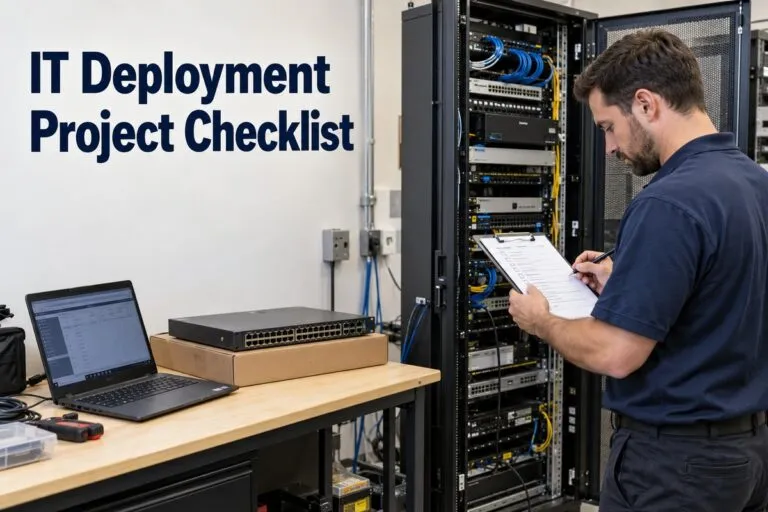
IT Deployment Project Checklist
An IT deployment project checklist should cover every requirement from scope approval and site readiness to installation, testing, and operational handoff. For IT managers, corporate leaders, and facilities teams, each item should identify who owns the task, when it must be completed, and what evidence confirms it is finished.
Use the following checklist for computer deployments, network upgrades, rack and stack projects, structured cabling, and multi-site IT rollouts. Mark items as complete, blocked, or not applicable, and keep supporting records with the project documentation.
1. Confirm Project Scope and Acceptance Requirements
Define the Work at Each Location
Start with an approved statement of work that identifies the equipment, locations, quantities, and services included in the deployment. Separate installation responsibilities from configuration, testing, migration, and disposal responsibilities so each team understands its assignment.
- Confirm site addresses, departments, and affected users.
- List equipment being installed, replaced, relocated, or removed.
- Document application, network, and infrastructure dependencies.
- Identify exclusions and the process for approving additional work.
- Assign a project owner, technical lead, facilities contact, and site representative.
- Include shipping, after-hours labor, lifts, testing, and return visits in the budget.
Set Measurable Completion Criteria
Replace descriptions such as “network working” with specific tests. A workstation might need to pass user sign-in, application access, printing, encryption, and device-management checks before acceptance.
For infrastructure projects, define required port connectivity, monitoring visibility, cable test results, and installation documentation. Agree on these requirements before scheduling technicians.
2. Complete the Site Readiness Checklist
Verify Access and Physical Conditions
A scheduled installation does not guarantee that a location is ready. Obtain confirmation from someone who can verify actual site conditions.
- Confirm technician access, escorts, badges, and approved working hours.
- Verify loading docks, delivery restrictions, elevators, and equipment staging areas.
- Check rack space, mounting compatibility, cooling, and equipment clearances.
- Confirm suitable power connections and available capacity with the responsible facilities personnel.
- Inspect cable pathways, mounting surfaces, and network closets.
- Confirm internet circuits and required upstream connections are active.
- Record site photographs and unresolved conditions.
For IT relocation projects, complete these checks at both the departure and destination sites. Confirm that receiving infrastructure is ready before disconnecting production equipment.
Assign Owners to Readiness Gaps
Record each unresolved issue with an owner, deadline, and deployment impact. Missing rack rails may block a server installation, while an unavailable site escort may prevent the entire visit.
Require readiness approval before dispatch. If a blocker remains open, document whether the project will be rescheduled or proceed with an explicitly reduced scope.
3. Reconcile Equipment and Shipping
Match Delivered Equipment to the Deployment Plan
Verify deliveries against the bill of materials before installation day. Include the small components that determine whether technicians can complete the work.
- Check device models, quantities, serial numbers, and asset tags.
- Inspect packaging and equipment for visible damage.
- Confirm rail kits, mounting brackets, power cords, and adapters.
- Match optics, cables, docking stations, and peripherals to approved hardware.
- Verify licenses, subscriptions, and support entitlements where required.
- Allocate replacement equipment according to project risk and replenishment time.
- Prepare return labels and packaging for removed equipment.
Create site-specific equipment bundles for nationwide IT deployments. Each bundle should identify its destination, installation location, and intended device or user assignment.
Maintain an Asset Record
| Required field | Information to capture |
|---|---|
| Site identifier | Location code and delivery address |
| Device identification | Model, serial number, and asset tag |
| Assignment | User, room, rack position, or intended function |
| Deployment status | Received, staged, installed, tested, or returned |
| Custody | Responsible person and transfer date |
| Disposition | Retained, redeployed, returned, or approved for disposal |
Reconcile the record after installation so shipped, installed, spare, and removed quantities agree.
4. Prepare Configurations and Data Protection
Stage Devices Before Dispatch
Complete repeatable configuration work before equipment reaches the site whenever practical. Test the approved build on representative hardware, including the peripherals and applications employees actually use.
- Confirm operating system and firmware versions.
- Apply approved configuration profiles and security settings.
- Install required applications and verify licensing.
- Enroll devices in endpoint management and security platforms.
- Verify encryption and approved recovery-key storage.
- Check device names, network settings, and certificate requirements.
- Test remote administration through the intended connection.
- Record the approved configuration version.
Use controlled access for administrative credentials. Keep passwords and recovery keys out of general technician instructions and installation photographs.
Verify Backups and Migration Requirements
Identify the user data, configurations, and services that must be recoverable. Confirm backup completion and perform an appropriate restore test before changes that could affect availability or data.
For computer refresh projects, check local files, browser requirements, specialized software, and peripheral dependencies. Obtain acceptance of migrated data before releasing the previous device for sanitization or disposal.
5. Approve the Deployment Schedule and Rollback Plan
Confirm the Change Window
Document installation times in the local time zone for each site. Include time for access procedures, unpacking, installation, troubleshooting, testing, and cleanup.
- Obtain required change approval.
- Notify affected users and business owners.
- Confirm technician and remote engineer availability.
- Schedule facilities support when needed.
- Identify conflicting maintenance or business activities.
- Set escalation contacts and communication checkpoints.
For multi-site IT rollouts, limit each deployment wave to the number of locations the engineering and support teams can actively manage.
Define When to Stop and Restore Service
The rollback plan should specify failure conditions, decision authority, restoration steps, and the latest safe rollback start time.
For example, if a maintenance window ends at 6:00 a.m., restoration takes 45 minutes, and validation requires another 15 minutes, rollback must begin by 5:00 a.m. Treat this as a scheduling example and use tested durations for your environment.
Keep previous configurations and required replacement hardware available until the new installation passes acceptance testing.
6. Validate a Pilot Before Expanding the Rollout
Choose a pilot that represents meaningful deployment conditions, including hardware variations, critical applications, remote connectivity, and difficult site layouts.
Microsoft’s Windows deployment planning guidance uses a limited deployment ring to validate updates on representative devices before broader deployment. Apply the same staged approach when planning a computer refresh or endpoint rollout.
Complete the Pilot Review
- Execute the actual technician runbook.
- Measure installation, configuration, and validation time.
- Confirm users can complete essential workflows.
- Record missing equipment and unexpected dependencies.
- Update instructions and shipping requirements.
- Resolve blocking defects before approving the next wave.
Use pilot results to adjust staffing and deployment capacity. Avoid setting nationwide rollout targets solely from estimated installation times.
7. Execute the On-Site Installation Checklist
Rack and Stack and Network Equipment
Confirm the device identity and approved rack position before mounting or disconnecting anything.
- Verify rails, mounting hardware, and equipment orientation.
- Follow manufacturer handling and installation instructions.
- Connect power according to the approved power design.
- Match network connections to the port map.
- Label equipment and both ends of cables.
- Preserve airflow and service access.
- Capture installation photographs and connection records.
For remote hands and smart hands assignments, establish contact with the remote engineer before disruptive work. Confirm the exact device and port before any approved cable removal or power cycle.
Computer Deployment and Refresh
At each workstation, verify the user assignment, connect peripherals, and test the complete setup. Check monitors, docks, keyboards, printers, and other required devices.
Record the new and removed asset identifiers together. Keep equipment awaiting migration approval separate from equipment cleared for return or disposal.
Structured Cabling and Wi-Fi Installation
- Match cable labels to outlet and patch-panel records.
- Complete the specified cable testing and retain results.
- Verify access point mounting, uplinks, and power requirements.
- Confirm approved wireless network and authentication settings.
- Test representative client devices in required working areas.
Cisco’s WLAN site survey guidance identifies an RF site survey as an initial deployment step. Include survey findings in installation instructions and validate wireless performance after installation.
8. Test Against the Acceptance Checklist
A powered-on device is only one checkpoint. Validate the service from the perspective of its users and support teams.
| Test area | Required verification |
|---|---|
| Connectivity | Address assignment, DNS resolution, and required network access |
| Business applications | Successful sign-in and completion of representative tasks |
| Security | Required encryption, endpoint protection, and access controls |
| Hardware | Expected operation of installed equipment and peripherals |
| Remote support | Authorized management access and device visibility |
| Documentation | Accurate asset records, labels, photographs, and test evidence |
Record the tester, time, result, and supporting evidence. Assign failed tests to a named owner and document the correction or approved exception.
Obtain technical acceptance and site confirmation before releasing technicians when those approvals are required by the project.
9. Complete Monitoring and Support Handoff
Verify Operational Visibility
Confirm that newly deployed infrastructure appears in the monitoring systems used by the support team or network operations center.
- Verify device names, locations, and support ownership.
- Confirm agreed availability and performance checks.
- Test alert delivery through an approved method.
- Check escalation contacts and response responsibilities.
- End temporary maintenance suppression at the correct time.
- Remove retired devices from monitoring after approved decommissioning.
Define the initial support period, including coverage hours, issue reporting, and responsibility for return visits. Give the service desk known issues and troubleshooting instructions before users resume normal work.
10. Close the Project and Reconcile Removed Assets
Assemble the Closeout Package
Collect the approved scope, final inventory, configuration records, test results, installation photographs, updated diagrams, and acceptance records.
Track remaining punch-list items with owners and due dates. Distinguish completed sites from sites carrying unresolved defects so rollout reporting reflects actual readiness.
Complete Returns and Decommissioning
Reconcile removed equipment against custody records. Confirm approved handling for storage media, sanitization evidence where required, return receipts, and final disposition.
Remove temporary access and update support, licensing, and asset-management records as appropriate. Close the project after the required approvals and outstanding obligations are resolved.
Use this IT deployment project checklist as the working record for every location, with accountable owners and evidence attached to each completed stage. When your deployment requires on-site execution, request an IT deployment project quote from DeployNation and include your site list, equipment quantities, scope, schedule, and acceptance requirements.