
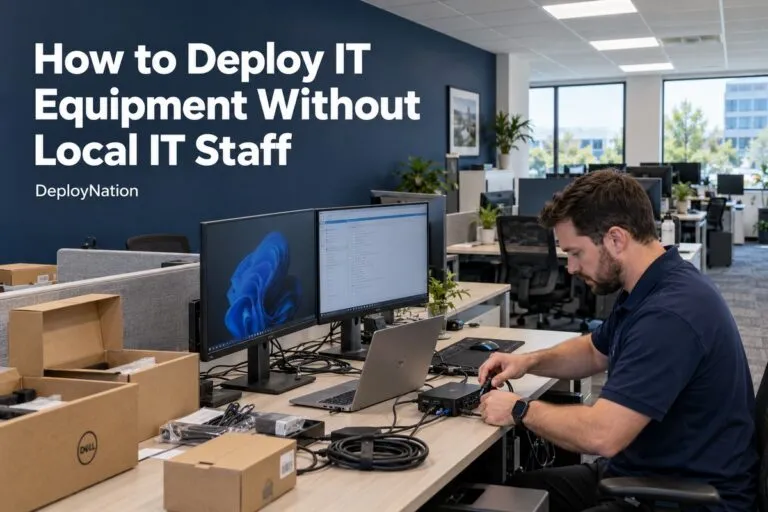
You need to know how to deploy IT equipment without local IT staff when your team is in one city and your equipment is going to another. This happens all the time with branch offices, warehouses, retail stores, and remote sites.
The good news is that you do not need to hire a full-time tech in every city. You need a clear plan, good instructions, and a trained technician at the site.
This guide shows you how to do it step by step.
What Makes Deploying IT Equipment Without Local IT Staff So Hard?
When no one on your team is near the site, small problems get big fast. A missing cable can stop a whole project.
Here are the most common problems:
- Engineers have to travel, which costs time and money
- Office workers get asked to plug in gear they do not know
- Boxes sit unopened for weeks
- Equipment gets installed in the wrong place
- No one writes down serial numbers or takes photos
- Projects run late because no one is on-site to fix surprises
Each of these problems has the same cause. There is no trained person standing in front of the equipment.
Your Options for On-Site IT Deployment
Most teams choose from four paths. Each one has strengths and limits.
| Option | Best For | Watch Out For |
|---|---|---|
| Fly your own engineers | Very complex, one-time work | High travel cost and lost time |
| Ask office staff to help | Very simple tasks | Mistakes, no documentation, risk to production gear |
| Hire local contractors one by one | One or two sites | Hard to manage, different quality at each site |
| Use a nationwide field services partner | Many sites or repeat projects | You need to share a clear scope |
For most IT managers with more than a few sites, a nationwide partner is the easiest way to keep the work the same everywhere.
How to Deploy IT Equipment Without Local IT Staff: Step by Step
Follow these steps for any project. They work for one site or one hundred.
Step 1: Write Down the Full Scope
Say exactly what needs to happen. Be simple and specific.
Include:
- What equipment is being installed
- How many units at each site
- Where each item goes
- What must be connected and to what
- What “done” looks like
If the scope is vague, the technician has to guess. Guessing causes outages.
Step 2: Build a Site List
Make one spreadsheet with every location. Add the street address, a site contact, building hours, and any access rules.
Add notes for loading docks, badge access, elevator limits, or after-hours work. These small details save hours on the day of the project.
Step 3: Ship and Stage the Equipment
Ship equipment to the site before the technician arrives. Check that it was delivered. Count the boxes.
For large projects, label each box by room, desk, or rack. Staging this way makes the on-site work much faster.
Step 4: Send Clear Instructions
Give the technician a runbook. A runbook is a short guide with the steps in order.
A good runbook has:
- A rack elevation or floor plan
- A cable map
- Power needs
- Naming rules for devices
- Who to call if something goes wrong
Step 5: Put a Qualified Technician On-Site
Now you need hands at the location. A field technician can do the physical work while your team stays in your office.
This is where a service like DeployNation’s IT field services helps. You supply the plan. The technician carries it out.
Step 6: Keep Your Engineers Connected Remotely
Your engineers do not need to be in the room. They can join by phone or video and guide the technician in real time.
They can also handle the settings and software work from afar. The technician handles the cables, mounting, and hardware. This pairing is often called remote hands and smart hands.
Step 7: Verify and Document Everything
Do not close a site until you have proof. Ask for:
- Photos of the finished work
- Serial numbers for every device
- Asset tag numbers
- A signed-off checklist
- Notes on anything that changed
This record helps with audits, warranty claims, and future support.
Step 8: Plan for Surprises
Something at the site will not match the plan. A rack may be full. A cable run may be too long. A closet may be locked.
Decide ahead of time who approves changes. A good rule is simple. If it does not match the plan, the technician stops and asks. No one guesses.
What to Send Your Field Team Before the Visit
Technicians do better when they get the right paperwork early. Try to send these items at least a few days before the visit:
- Statement of work
- Equipment list
- Rack elevation or floor plan
- Network diagram
- Site list with contacts
- Runbook or install guide
- Completion checklist
- Escalation contacts
If you already have a project plan, our IT deployment project checklist can help you make sure nothing is missing.
How to Deploy Computers Without Local IT Staff
Computer rollouts are one of the most common projects that need on-site help. Laptops, desktops, monitors, and docking stations all have to reach real people at real desks.
A good computer deployment includes:
- Unboxing and desk setup
- Connecting monitors, docks, and other peripherals
- Asset tagging
- Moving the user to the new device using your approved steps
- Collecting the old device
- Updating your inventory
DeployNation’s computer deployment services cover all of this at your offices, so your team does not have to travel from desk to desk. If you are replacing old devices, you can also read how to plan a company-wide computer refresh.
Here is what a simple rollout can cost at DeployNation’s published starting rates:
| Project | Starting Rate | 100 Devices (Starting Estimate) |
|---|---|---|
| Basic laptop deployment | $75 per device | $7,500 |
| Basic laptop refresh | $95 per device | $9,500 |
These are starting estimates. Final pricing depends on the site, the number of devices, and the work involved.
Installing Servers, Racks, and Network Gear Without Local Staff
Racks need careful work. A small mistake in a rack can cause heat problems, power problems, or downtime.
A few facts help when you plan:
- One rack unit (1U) is 1.75 inches tall
- A full-size rack is often 42U tall
- Every device needs the right rails, power, and cables before the visit
Rack and stack services cover server installs, switches, firewalls, storage, UPS units, and PDUs. The technician mounts the gear, connects power and network cables, labels everything, and sends you photos.
Plan the layout first. Our guide on how to plan a data center rack layout can help.
Cabling and Wi-Fi Installation at Remote Sites
Cabling is often the first thing that goes wrong at a new site. Good cabling is also the base for everything else.
Keep these facts in mind:
- Cat6 and Cat6A copper cable runs should not go past 100 meters (328 feet)
- Every cable should be labeled at both ends
- Every cable should be tested before you call the job done
Structured cabling and Wi-Fi installation can include data drops, patch panels, closet cleanup, and wireless access point mounting. Your network team keeps control of the design. The field technician does the physical install.
Deploying IT Equipment Across Many Sites at Once
One site is a project. Fifty sites need a system.
When you roll out to many locations, do this:
- Use the same scope at every site
- Use the same checklist at every site
- Use the same photo and asset rules
- Start with one pilot site to find problems early
- Then roll out to the rest in groups
A pilot site is a smart move. It shows you what the instructions missed before the problem repeats fifty times.
Multi-site IT rollouts work best when one partner manages the whole plan, so every location gets the same quality.
What Does Field Support Cost?
Pricing varies, but starting rates give you a good way to build a budget. These are DeployNation’s published starting rates:
| Service | Starting Rate |
|---|---|
| Rack & Stack Technician | $125 per hour |
| Remote Hands Technician | $125 per hour |
| Smart Hands Technician | $145 per hour |
| IT Field Technician | $125 per hour |
| Minimum On-Site Project | $375 |
| Single Server Installation | $250 |
| Standard Cat6 Data Drop | $175 per drop |
| Wireless AP Installation | $125 per AP |
Things that can change the final price include travel, after-hours work, the number of devices, site access, and how much paperwork you need back. You can see more on the IT services pricing page.
Mistakes to Avoid When No One Is On-Site
Most failed projects have the same causes. Watch out for these:
- No written scope. Everyone has a different idea of “done.”
- Late shipping. The tech arrives and the boxes do not.
- No site contact. The door is locked and no one answers the phone.
- No photo or serial number rules. You cannot prove what was installed.
- Using office staff for risky work. They are not trained for production gear.
- No plan for changes. Small problems turn into delays.
How DeployNation Helps You Deploy Without Local IT Staff
DeployNation gives you trained field technicians across the United States. You keep control of the plan, the security rules, and the technical choices. We handle the on-site work.
We can help with:
- Computer deployment and refresh projects
- Rack and stack
- Remote hands and smart hands
- Structured cabling and Wi-Fi installation
- Multi-site rollouts
- NOC monitoring for ongoing alert coverage
- IT relocation and decommissioning
Your engineers stay at their desks. The work still gets done at the site.
You do not need local IT staff in every city to finish a project well. You need a clear scope, good instructions, and the right person on-site. Start with a simple plan and a complete site list, and the rest gets much easier.
If you have a project that needs hands in the field, request a quote from DeployNation. Send us your site list, equipment details, and schedule, and we will tell you how we can help.